Picture this: It’s a Tuesday afternoon during your peak season. The printer in the warehouse office is warm to the touch, relentlessly spitting out stack after stack of picking tickets. Your floor team is marching around like an exhausted marching band, clipboards in hand, checking off items with yellow highlighters. Every few minutes, someone walks all the way back to the desktop computer to figure out why a bin that’s supposed to have twenty widgets is completely empty.
If this sounds familiar, don’t feel bad—you’re in good company. Many growing businesses have excellent inventory databases like Fishbowl, Katana or Cin7 keeping track of their numbers in the back office. But there is a massive, costly chasm between what your database thinks is happening and how your floor team actually executes it.
When you rely on paper routing sheets, your operations suffer from an “execution lag.” Paper gets lost. Handwriting is misread. And your pickers are accidentally logging miles of unnecessary steps every single day.
You don’t need a multi-million-dollar conveyor system to fix this. You just need to take the data out of the desktop and put it into your team’s hands.
By implementing a mobile Warehouse Management System (WMS) like Lilypad WMS, you can ditch the clipboard and activate these five high-speed mobile workflows. Your pickers will thank you, your step counts will drop, and your fulfillment speeds will skyrocket.
1. Directed Wave Picking: Ending “Unintentional Warehouse Cardio.”
The Old Way (Paper): A picker grabs three separate order sheets from the manager’s desk. They look at Order A, walk to Aisle 1, and grab a box. Then they look at Order B, walk to Aisle 10, and grab a bracket. They move to the packing station, pick up Order C, and realize—ugh—Order C also needs an item from Aisle 1. They turn around and hike all the way back. We call this unintentional warehouse cardio. It’s great for fitness, but it’s absolute poison for your fulfillment times.
The Mobile Workflow: Enter Wave Picking. Instead of treating every order like an isolated mission, a mobile WMS aggregates multiple orders into a single, cohesive “wave.”
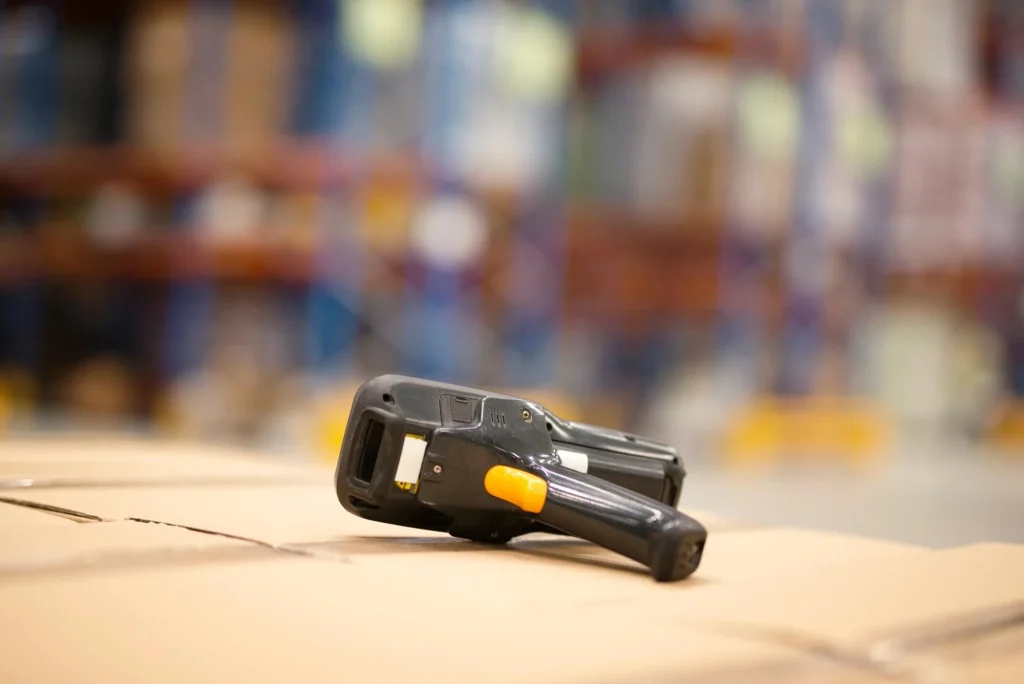
When your picker logs into their handheld device, the system doesn’t show them individual orders. Instead, it shows them a single, logically optimized path through the warehouse (Aisle 1 > Aisle 2 > Aisle 3). The screen tells them exactly how many items to grab from each bin to satisfy all the orders in that wave simultaneously. They place the items into separate totes on their picking cart, and by the time they reach the end of the aisle, three, five, or ten orders are completed in a single pass.
The Payoff: You slice your physical floor traffic in half. By letting software calculate the shortest physical path, your team spends their time picking stock, not hiking across concrete.
2. Seamless Zone Picking: Passing the Digital Torch
The Old Way (Paper): Let’s say a wholesale order comes in that requires a heavy pallet of raw material from the back warehouse and a handful of small, fragile components from the front mezzanine. On a paper system, one of two bad things happens. Either one picker spends twenty minutes traversing completely different environments, or a manager physically tears the paper ticket in half, hands the pieces to two different people, and prays they both end up at the packing desk at roughly the same time.
The Mobile Workflow: Zone Picking (often called the pick-and-pass method) treats your warehouse like an assembly line. You map your warehouse into distinct zones based on logic, equipment requirements, or item types.
When a multi-zone order drops, the mobile WMS instantly carves it up behind the scenes. Picker A gets a notification on their handheld to grab the heavy pallet in Zone A. Once they scan it, they drop it at a staging area and hit “complete.” Instantly, Picker B’s handheld alerts them to grab the fragile components in Zone B.
The Payoff: No paper coordination required. Your forklift drivers stay in the heavy zones, your detail-oriented pickers stay in the small-item zones, and the system handles the digital handoff flawlessly.
3. On-the-Fly “Item Moves”: Killing the Ghost Inventory
The Old Way (Paper): A forklift driver notices that a primary picking bin is running low, so they pull a fresh pallet down from the top overflow racks. They fill the bin, but they’re in a rush. They write the inventory transfer down on a crumpled sticky note, slip it into their pocket, and promise to log it into the desktop computer later. Three hours later, that sticky note is still in their pocket. Meanwhile, a picker goes to the overflow rack looking for that pallet, finds an empty space, and stands there scratching their head.
The Mobile Workflow: Sticky notes are where inventory data goes to die. With a mobile WMS, you enforce a strict rule: If you move it, you scan it.
When a worker shifts inventory from an overflow rack to a picking bin, they use their handheld device to scan the item’s barcode, scan the origin bin, and then scan the destination bin. It takes exactly four seconds.
The Payoff: The core database updates in microseconds. Your pickers are never sent on wild goose chases for “ghost stock” because the location data on their screens is a living, breathing reflection of the actual warehouse floor.

4. Scan-to-Verify: Bulletproof Quality Control
The Old Way (Paper): Your picker brings a cart full of loose items to the packing desk. The packer looks at a printed packing slip, glances at the pile of items, eyes a blue jacket, assumes it’s the large size requested, boxes it up, tapes it, and slaps a label on it. Two days later, an angry customer calls because they received a size Small instead of a Large, or a matte black widget instead of a glossy black one.
The Mobile Workflow: Relying on human eyesight for quality control is a recipe for expensive return shipping fees. Mobile workflows replace guessing with validation.
At the packing station, the packer uses a mobile screen or a connected bluetooth scanner. Before a shipping label can even be generated, the packer must physically scan the barcode of every single item going into that box. If they mistakenly scan a size Small jacket instead of a Large, the screen flashes red, a warning beep sounds, and the process halts.
The Payoff: You achieve near 100% order accuracy. By catching errors at the packing bench instead of the customer’s doorstep, you protect your margins and your brand reputation.
5. Dock-to-Stock Scanning: Live Inventory from the Jump
The Old Way (Paper): A freight truck unloads a dozen pallets onto your receiving dock. The receiving team writes down what arrived on a paper manifest, sticks the paperwork on a clipboard, and sets it on the purchasing manager’s desk. Those pallets sit on the dock for 24 to 48 hours until someone manually types the receipts into the ERP. While those items are physically sitting right there on your dock, your website says “Out of Stock,” and your sales reps are telling clients they can’t fulfill their orders.
The Mobile Workflow: High-speed fulfillment starts the second inventory hits your property. With Dock-to-Stock scanning, your receiving team greets the delivery truck with handheld scanners in hand.
They scan the incoming items right on the pallet. The mobile software cross-references the inbound shipment with your open Purchase Order, flags any shortages or damages instantly, and immediately tells the worker exactly which warehouse bin the items should be put away in.
The Payoff: The inventory goes “live” and available for sale the exact millisecond the barcode is scanned. You eliminate receiving bottlenecks and turn dock space back into usable floor space fast.
Stop Leaving Efficiency on the Warehouse Floor
Here is the ultimate truth of modern logistics: Upgrading your fulfillment speed doesn’t mean you have to scrap your entire software setup and migrate to an incredibly expensive, overly complicated enterprise ERP.
Your core inventory system is likely doing a great job managing your data. The leak in your bucket is how that data is translated into physical action on the floor. By extending your existing setup with targeted mobile tools like Lilypad WMS, you bridge that gap completely. You give your team the power to move faster, scan accurately, and eliminate the clipboard bottleneck once and for all.
Want to see how easy it is to untether your team from the desktop and bring these 5 workflows to your warehouse floor? Schedule a call with Lilypad Applications today!